![du-logo-dark-red-shield-171px.png]](https://knowledge.dealersunited.com/hs-fs/hubfs/du-logo-dark-red-shield-171px.png?height=40&name=du-logo-dark-red-shield-171px.png)
Your ad report tells you how your marketing did last month. It doesn't tell you whether the whole market slowed down, whether the store across town undercut you on every Tahoe, or whether your budget is sitting behind cars nobody is buying.
Market Intelligence fills in that picture. It compares your listed inventory with the vehicles listed for sale on dealer websites across your market area.
It helps you see what your competitors stock and what they charge, which vehicles have low inventory, and catch the spots where your stocking, pricing or ad spend has drifted away from the local market demand.
You can access the dashboard 24/7, and your Account Manager will also use the data to help you strategize on your monthly performance calls.
The 3 Questions Market Intelligence Answers- How is my market moving? See whether your sales pace is ahead of or behind the stores around you, and whether a slow month was your dealership or the whole market. Start with the Overview and You vs Market.
- How do I stack up against my competitors? Compare prices, days on lot and stock with the dealers you lose deals to. Use Competitors, Pricing and Problem Movers.
- Is my marketing aimed at what actually is selling near me? Check whether your Meta and Google spend is going to the vehicles shoppers in your area are really buying. Use Demand & Ad Fit.
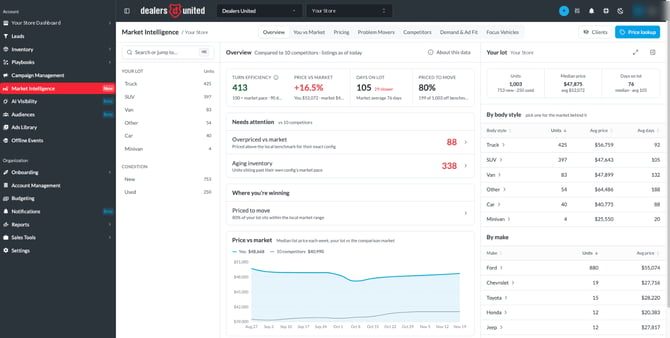
When all 3 answers line up, your marketing has the best shot at moving cars. When they don't, Market Intelligence shows you where the gap is. Our knowledgebase article, How to Find the Gaps Between Your Strategy, Your Marketing and Your Market, walks through it step by step.
How to Open Market Intelligence
- Log in to your Dealers United dashboard at app.dealersunited.com
- Forgot your login? Follow the “forgot password” steps here.
- If you have more than one rooftop, pick the one you want in the account dropdown at the top of the page.

- In the left menu, under Account, click Market Intelligence.
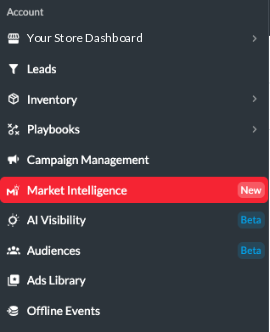
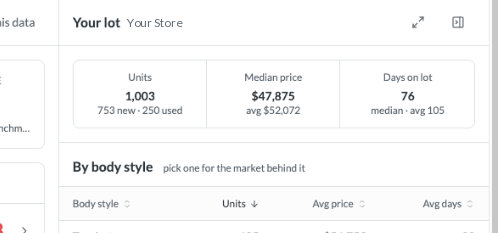
The Overview opens first. Use the tab row at the top to switch views.

The 7 Views
|
View |
What it tells you |
|
A one-screen health check on your lot: how fast you sell, how you're priced, days on lot, and which vehicles need attention. |
|
|
Your stock, sales, and prices next to the market's, filtered by make, model, body style or price tier. Also shows the vehicles the market carries that you don't. |
|
|
Where your prices sit against similar vehicles nearby, filtered by segment, make, model, and trim. |
|
|
The vehicles sitting on your lot longer than at your competitors, and the likely reason why. |
|
|
The dealers you're compared against and how you rank on price, days on lot and inventory. |
|
|
Whether your Meta or Google ad spend is going to what sells in your market. |
|
|
Up to 3 models you want to watch closely, each with its own page in your monthly report. |
How to Change What You're Compared Against
The left panel controls the comparison on You vs Market, Pricing, Problem Movers and Demand & Ad Fit. Your choices carry over between those tabs.
- Compared to: Competitor list, Specific competitors, DMA (local TV market), Nearby (25 mi), Statewide or National. DMA is for US dealers only.

- Vehicles: All, New or Used, plus year, make, model and trim. Pick a make first to choose a model.

- Date window: Only on Problem Movers and Demand & Ad Fit. With none set, you see your current inventory and its full time on the lot.
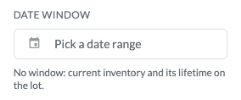
The Overview always compares you with your competitor list.
The bottom of the left panel shows how fresh the data is, usually "Website listings as of today." Data refreshes early every morning, 7 days a week.

Click any row to open its details in the right-hand panel. Drag the panel's edge to make it wider, or expand it to full page.
Look Up Any Vehicle in Your Market
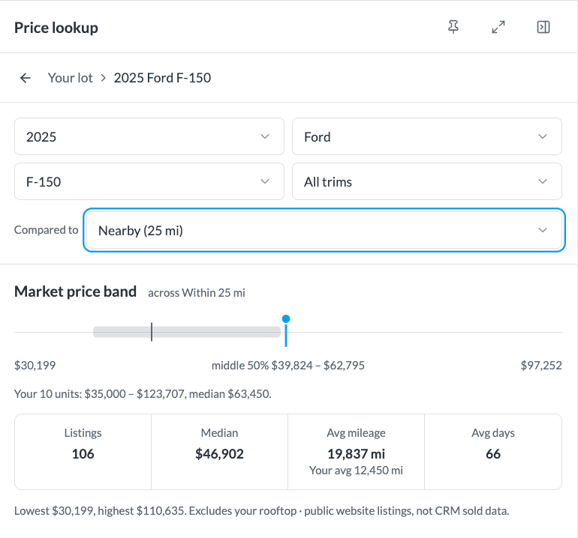
On the left side, you’ll see a button for Price lookup at the top right of any tab to see what the market is asking, for any year, make, model and trim, including vehicles you don't have on the lot. See how Price lookup works.

With full access to Market Intelligence you will be able to:
- View every section of Market Intelligence.
- Use the filters, Price lookup and Search.
- Export any table to CSV with Export CSV on You vs Market, Pricing, Problem Movers, Competitors and Demand & Ad Fit. The file uses the filters you've set.

- Change your focus vehicles and competitors
Your Account Manager will help you identify trends and strategy opportunities to maximize your ad budget, like allocating more spend to SUVs because they are in high demand right now. Then, your Account Manager will review those recommendations with you every month and put them into action.
How to Get the Most Out of Market Intelligence
- Start on the Overview, then open the tab that explains what you see there.
- Compare gaps and trends, not exact unit counts. Sold counts come from vehicles leaving dealer websites, not from sales records, so they won't match your DMS.
- Review your monthly strategy call and bring 2 or 3 questions. That's where we turn what you see into changes to your marketing.
- Keep your competitor list current. If a store opens nearby, or you keep losing deals to a dealer that isn't on your list, adjust your competitors.
- Confirm a pricing gap on the listing before you reprice. Every suggested change is something to review, not a price to set.
Keep Learning
- Market Intelligence FAQ: Data, Coverage and Access
- How to Read Your Market Intelligence Overview
- How to Read You vs Market
- How to Track Your Competitors in Market Intelligence
- How to Use Pricing and Price Lookup
- How to Find Problem Movers and Aging Inventory
- How to Check Your Ad Spend Against Local Demand
- Focus Vehicles and Your Monthly Report
- How to Find the Gaps Between Your Strategy, Your Marketing and Your Market
Contact your Account Manager if you have any questions, or email us at performance@dealersunited.com.